
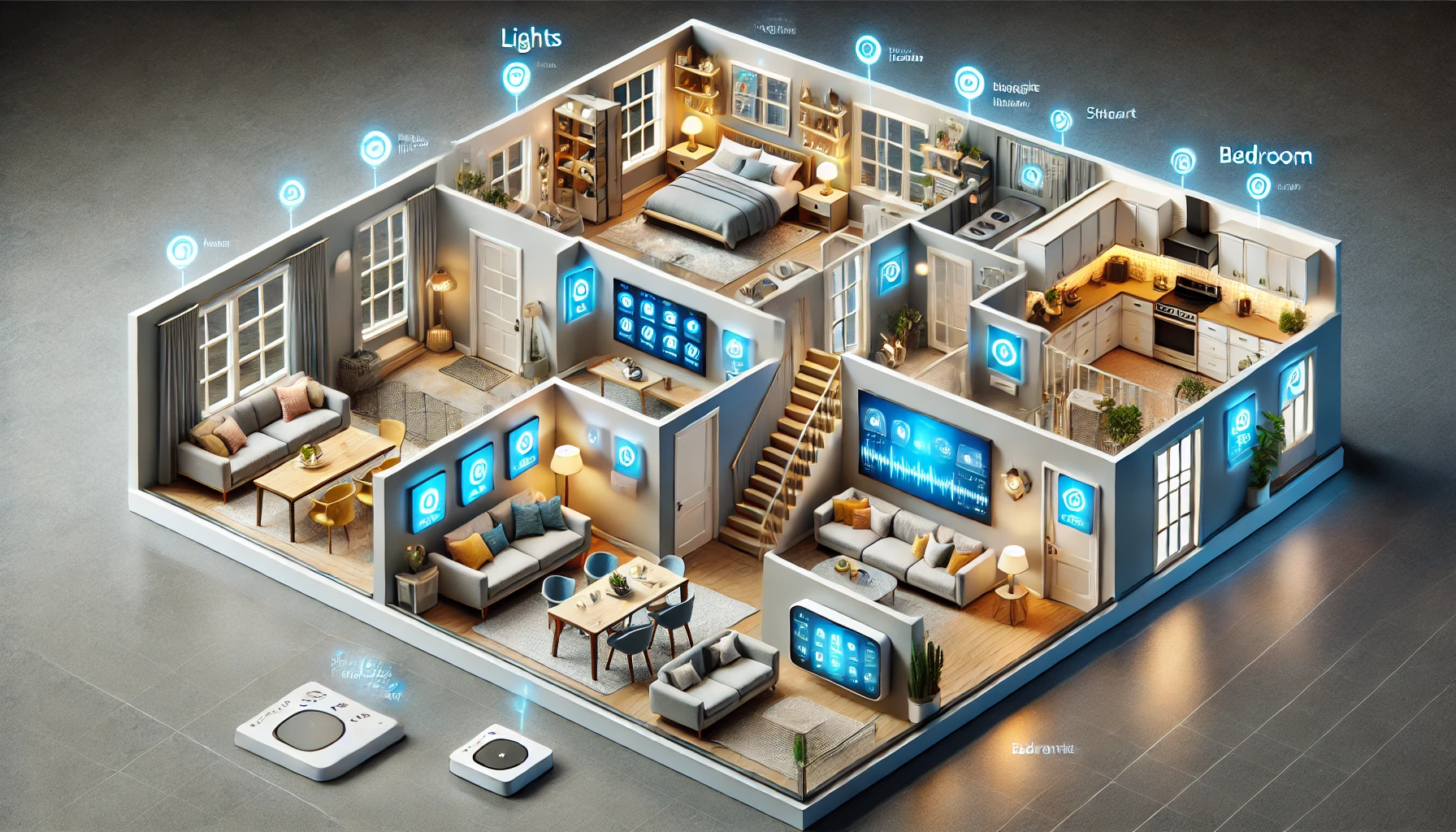
Creating a smart home isn’t just about buying the latest gadgets — it’s about designing a space that’s intuitive, efficient, and tailored to your lifestyle. That starts with planning how each room in your home will use smart technology.
Whether you live in a small apartment or a large house, thinking strategically about your layout ensures that your smart devices are placed where they’ll deliver the most value.
In this guide, we’ll show you how to plan your smart home layout room by room, covering the best devices and automation ideas for each space.
Why Room-by-Room Planning Matters
A smart home works best when it’s not just connected — but cohesive. Planning helps you:
- Avoid device redundancy
- Create consistent routines across rooms
- Ensure optimal placement for sensors and Wi-Fi coverage
- Match tech to your actual daily behavior
- Prevent overcomplicating your system
You don’t need to do everything at once — start with one room, then expand.
Living Room: The Entertainment and Comfort Hub
The living room is often the heart of the home — and one of the best places to begin your smart setup.
Smart devices to consider:
- Smart TV or streaming device (e.g., Fire TV, Apple TV, Chromecast)
- Smart speakers or soundbars
- Smart lighting with scenes for movie night or reading
- Smart plugs for lamps and fans
- Smart blinds or curtains
- Smart thermostat if your HVAC system covers this zone
Automation ideas:
- “Movie Night” routine: dim lights, close blinds, turn on TV
- Motion-activated lighting for night-time navigation
- Voice-controlled volume and lighting while lounging
Kitchen: The Functional Command Center
The kitchen is where tech can help you save time, reduce waste, and stay organized.
Smart devices to consider:
- Smart displays for recipes and timers
- Smart coffee maker or smart plug for your existing one
- Voice assistant speaker for shopping lists
- Smart fridge (if in your budget)
- Smart lighting for task zones (e.g., cooking area)
- Smart leak detector under the sink or near dishwasher
Automation ideas:
- “Start Coffee” routine tied to morning wake-up
- Voice-controlled timers while cooking
- Fridge sends alerts for low-stock or expiration
Bedroom: The Personalized Relaxation Zone
Your bedroom should feel calm and support healthy sleep routines.
Smart devices to consider:
- Smart lights with warm tones and dimming
- Smart speaker or sound machine
- Smart plugs for bedside lamps
- Smart thermostat or zone heating
- Sleep tracking devices or wearables
- Smart blinds for natural light wake-up
Automation ideas:
- “Goodnight” routine: lights off, thermostat lowers, fan turns on
- “Wake up” routine: blinds open, lights fade in, soft music plays
- Sleep tracking adjusts lighting and sounds based on habits
Bathroom: Small Space, Big Opportunity
The bathroom might not be your first thought for smart devices — but it can still benefit.
Smart devices to consider:
- Motion-activated lighting
- Smart plug for heated mirror or toothbrush charger
- Smart speaker for news, weather, or music
- Smart leak detector near sink or toilet
- Humidity sensor for smart fan or dehumidifier control
Automation ideas:
- Lights turn on when you enter (great for nighttime)
- Morning playlist starts when motion is detected
- Fan activates when humidity spikes
Home Office: The Productivity Powerhouse
For remote workers or freelancers, a smart office supports focus and flow.
Smart devices to consider:
- Smart desk lamp
- Noise-canceling smart speaker
- Smart plugs for monitors and chargers
- Smart thermostat zone control
- Calendar-linked smart display
- Motion sensors for energy-saving automation
Automation ideas:
- “Start Work” routine: lights on, fan on, calendar shows
- “Break Time” reminder via voice assistant
- Devices power down after inactivity or at end of day
Entryway or Hallway: Safety and Simplicity
Your entry is where security and convenience come together.
Smart devices to consider:
- Smart lock for keyless access
- Video doorbell with alerts and two-way audio
- Smart lights that trigger on motion
- Smart display with routines or weather updates
- Contact sensors on doors/windows
Automation ideas:
- “Leaving Home” routine: locks doors, arms alarm, turns off lights
- “Arriving Home”: unlocks, adjusts thermostat, turns on lights
- Camera records only when door is opened or motion is detected
Garage or Utility Room: Protect and Power
Often overlooked, these spaces can benefit from tech that boosts security and efficiency.
Smart devices to consider:
- Smart garage door opener with remote access
- Smart plugs for washer/dryer or tool stations
- Smart leak detectors near water heaters
- Energy monitoring smart outlets
- Smart lights with motion sensors
Automation ideas:
- “Garage Close” routine activates when you leave a certain radius
- Notify if garage door is left open
- Leak detector sends instant alert to your phone
Outdoor Spaces: Extend the Experience
Smart homes don’t stop at the door — outdoor automation can improve security and comfort.
Smart devices to consider:
- Smart outdoor lights
- Smart irrigation system
- Outdoor security cameras
- Smart speakers for music or announcements
- Smart plugs for garden tools or festive lights
Automation ideas:
- Lights activate at sunset or by motion
- Irrigation skips if it rains
- Camera alerts for movement after dark
- “Outdoor Party” scene: lights on, music playing
Planning Tips for Seamless Integration
- Map your Wi-Fi strength before placing devices
- Group devices by room in your app for easier control
- Label everything clearly (e.g., “Bedroom Lamp,” “Garage Sensor”)
- Use voice-friendly names that are easy to pronounce
- Test automation one at a time before layering routines
- Set up notifications sparingly to avoid alert fatigue
Final Thoughts: Design a Smart Home That Works With You
Smart home technology shouldn’t feel overwhelming — it should feel effortless. By planning room by room, you can introduce tech where it’s most needed, streamline your daily routines, and gradually build a home that responds to you naturally.
Start with your most-used rooms, choose devices that solve real problems, and evolve your system as your needs change.
Because the smartest homes aren’t about having more gadgets — they’re about creating better experiences, one room at a time.